
Printed invoice appearance
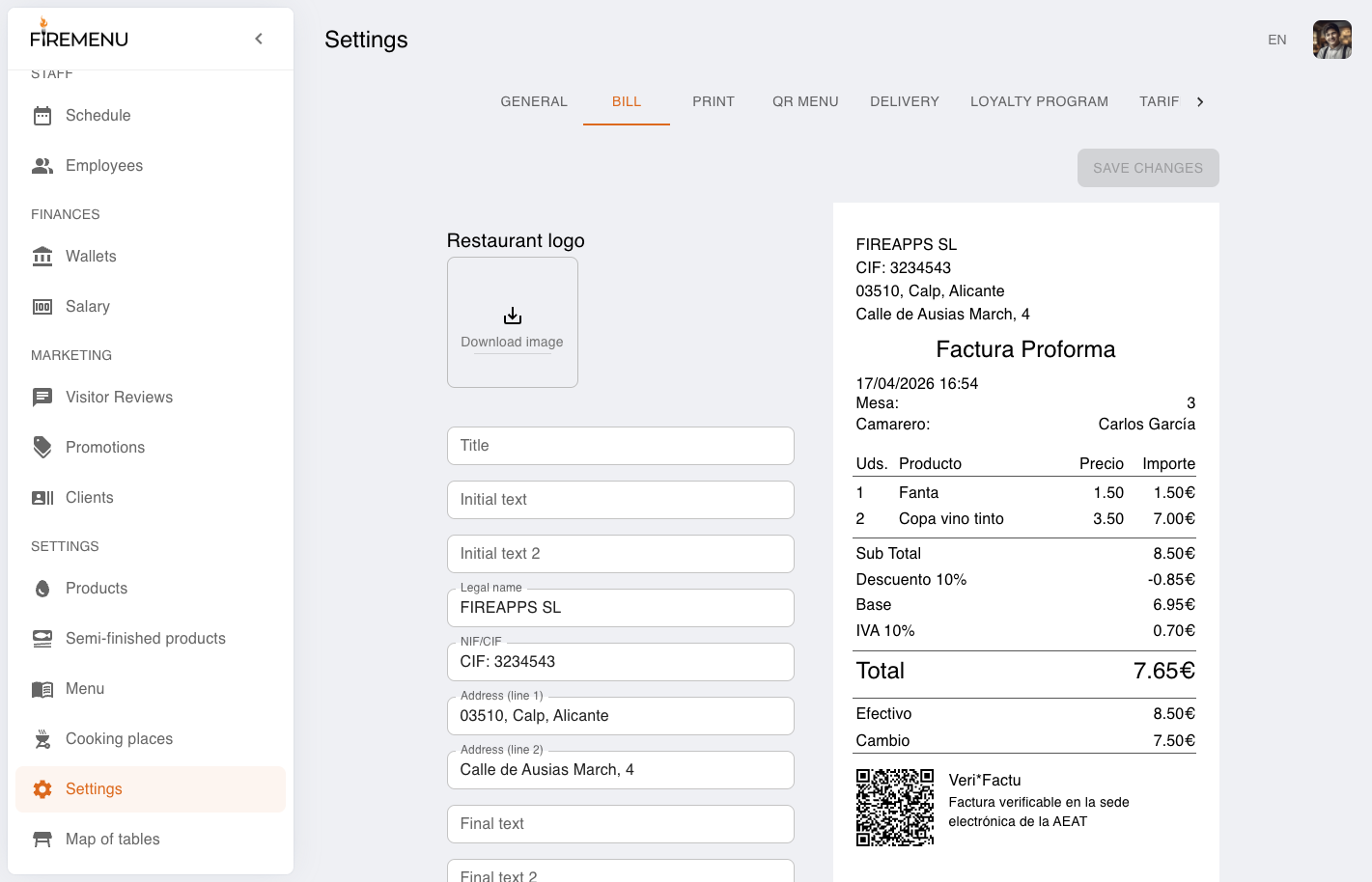
On the «Bill» tab you control how the printed invoice looks: legal details, operational switches, text blocks, and branding.
For new venues this is one of the first go-live steps: a correct template reduces till errors and keeps documents consistent.
Contents:
- How to fill mandatory details for Spain
- How to adjust layout and branding
- How to enable operational print fields
- How to validate the template before launch
- Related articles
The receipt typically shows venue details at the top, then the document body (for example Factura Simplificada) with lines and VAT, then payment method, QR / Veri*Factu, and footer text. On the right you see a preview before pressing «Save changes».
How to fill mandatory details for Spain
For everyday HoReCa sales FireMenu typically issues Factura Simplificada; minimally ensure issuer details are correct:
- «Legal name».
- NIF/CIF.
- Address (at least the primary address line).
The receipt should include number, date, description of operations, VAT applied, and totals—baseline requirements for simplified invoices under RD 1619/2012, art. 7.
For restaurants/bars, simplified invoices are allowed up to 3,000 EUR including VAT per operation (RD 1619/2012, art. 4.2.e).
This article is practical guidance for FireMenu settings—not tax advice. When in doubt, align the template with your gestor / asesoría and official rules in RD 1619/2012 (BOE).
How to adjust layout and branding
Add «Restaurant logo» for branded printouts.
Use «Title», «Initial text», and «Final text» for short guest-facing notes (contacts, thanks).
Tune «Bottom margin» and «Bold font» for your printer so nothing is clipped and text stays readable.
How to enable operational print fields
«Print table number»—useful for seated dining and quick check identification.
«Print payment method»—helps cash reconciliation (cash/card/change).
«Print waiter name»—helps internal control and dispute resolution.
How to validate the template before launch
Review the right-hand preview: ensure legal lines are legible and ordered sensibly.
Print a test on the actual venue printer—paper output can differ from the preview.
If footer lines are cut off, adjust «Bottom margin».
After any legal-field change press «Save changes» and print another test receipt.